
Sikkim Game – Sikkim Login, Register & Win ₹777 Bonus
A new gaming destination can be easier to explore when everything from account creation to game access stays straightforward. Sikkim Game offers users a range of gaming options along with a simple registration and login process. Those planning to join can complete Sikkim Register, access their account through Sikkim Login, and check the ₹777 bonus offer along the way. From getting started to understanding the available features, this guide covers the important details you should know before using the platform.
Sikkim Game Overview
| Category | Details | Game Options |
|---|---|---|
| Platform Name | Sikkim Game App | Wingo, K3, 5D & Slots |
| Register App | Click Here | Quick Account Setup |
| Invite Code | WDS**** | Registration Offer |
| Free Gift Code | Click Here | Promotional Reward |
| Welcome Bonus | ₹777 | New User Offer |
| Platform Type | Online Gaming | Multiple Game Categories |
| Availability | Android, iOS & Web | Mobile & Desktop Access |
| Minimum Deposit | ₹100 | Low Starting Amount |
| Withdrawal Time | Within 24 Hours | Processing Time |
| Support Options | Live Chat & WhatsApp | User Assistance |
| Payment Methods | UPI, Paytm & Bank Transfer | Deposit & Withdrawal |

What is Sikkim Games?
Sikkim Games refers to a gaming platform where users can explore different game categories and access their accounts through a simple registration and login process. The platform may feature options such as Wingo, K3, 5D, slots, and other games, depending on what is currently available.
Users can create an account through the registration section, use their credentials for Sikkim Login, and review available promotions before participating. Since game options, bonuses, payment methods, and platform terms may change, users should check the latest information shown on the platform before using any feature.
Is Sikkim Game Legal to Use in India?
The legal position of gaming and betting services in India can depend on the type of activity involved and the state where a user is located. For this reason, users considering Sikkim Club Game should not rely only on claims made on a platform’s website. It is important to review its current licensing details, ownership information, security measures, and published terms.
Rules may differ between Indian states, and a service that operates under a particular license may not necessarily be permitted in every region. Before creating an account or making any transaction, users should confirm the regulations that apply to their location. They should also read the platform’s payment rules, privacy policy, withdrawal conditions, and responsible gaming information carefully.
Sikkim Game Categories
Sikkim Game brings together different gaming formats, allowing users to explore multiple options from a single platform. Depending on the current selection, users may find quick-result games, lottery formats, casino-style games, and sports-related options. The Sikkim Game App can provide convenient access to these categories across supported devices. Each game follows its own rules and conditions, so checking the relevant details before participating is important.
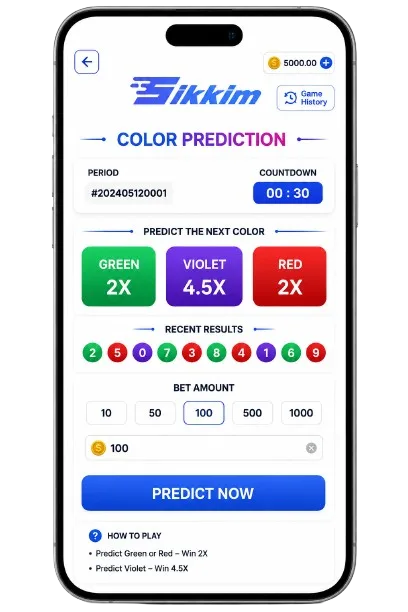
1. Color Prediction Games
Color prediction games revolve around selecting a color or possible outcome before a round concludes. The result is then displayed according to the particular game’s format. Users can usually view the available rounds, timings, and other details through the gaming interface. Anyone planning to participate should first understand the entry conditions, result process, applicable limits, and withdrawal rules.
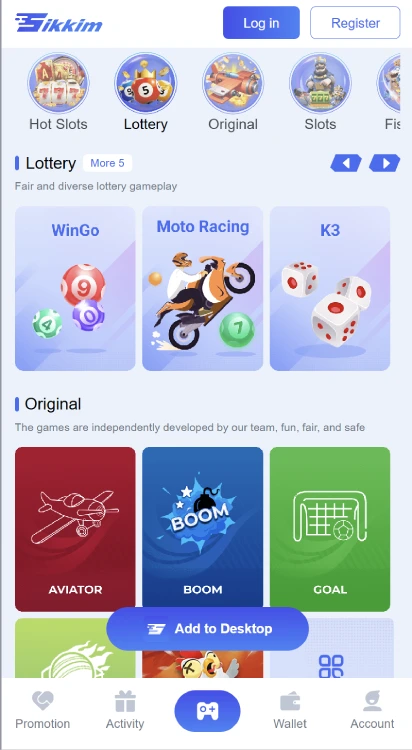
2. Lottery Games
The lottery section may include number-based and draw-style games with different formats. Players select from the options provided by a particular game, while the result follows its specified draw process. Draw timings, participation requirements, and reward structures can differ between games. Users should review the individual game information and current terms before taking part.
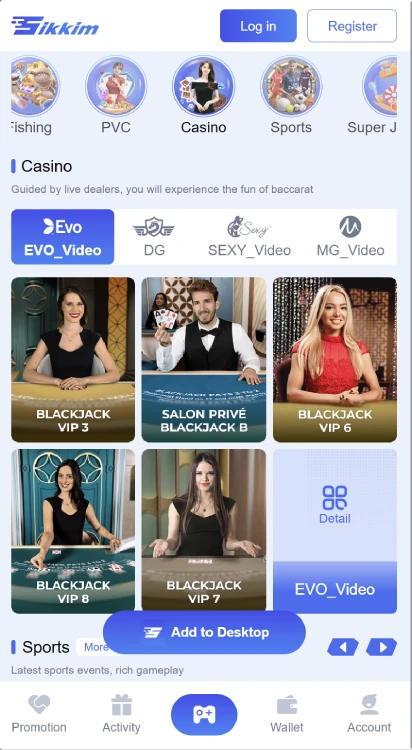
3. Casino Games
Casino-style options may include digital card and table games with different gameplay formats. Each title can have its own rules, features, entry limits, and reward structure. The selection can also change based on the platform’s current offering. Users accessing the Sikkim Game APK should check the game’s instructions and applicable conditions before starting.
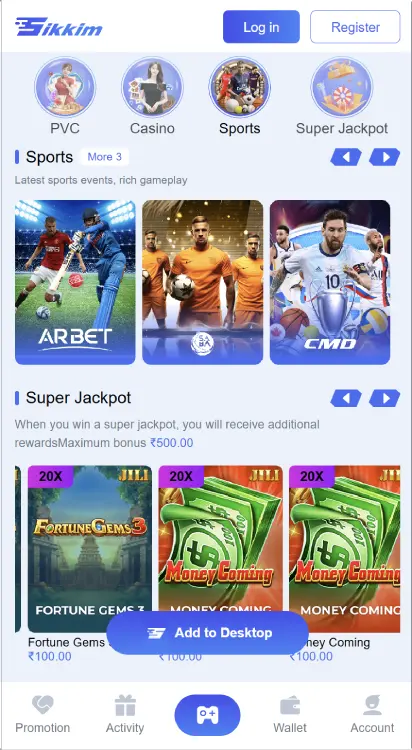
4. Sports Games
Sports games may cover popular events such as cricket and football, depending on what is currently available. Different events can feature their own markets, schedules, and participation conditions. Some options may be available before an event, while others can depend on live event availability. Users should review the relevant information and rules for the selected event before participating.
How to Get Started With Sikkim Game?
Getting started with Sikkim Game involves setting up an account and accessing the platform through its available login option. New users can begin by completing the registration form with the required information. Once the account is created, any requested verification can be completed before using account-related features. Users should also review the platform’s current rules, age requirements, payment conditions, and other terms before proceeding.
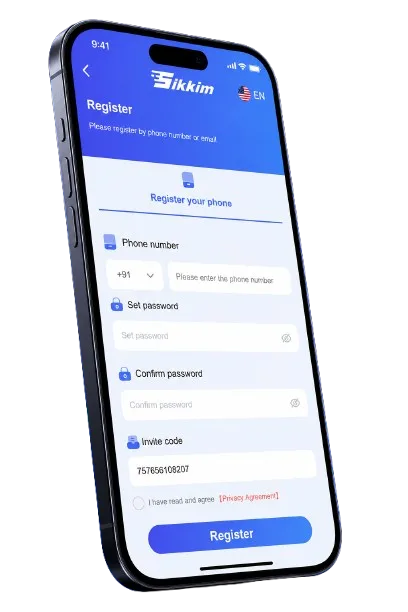
How to Register on Sikkim Game?
The Sikkim Game Register process can generally be completed in a few straightforward steps. Follow the instructions below to create an account:
-
Visit the Platform
Open the current Sikkim Game website or supported application and choose the registration option.
-
Add Account Details
Enter the requested information, such as your mobile number, username, and password.
-
Enter an Invite Code
If an invitation or referral code is available, add it in the relevant field.
-
Verify Your Account
Complete the OTP or other verification step requested during signup.
-
Check the Terms
Read the applicable account rules, eligibility requirements, and platform conditions.
-
Submit the Form
Confirm the details and complete the registration process.
After registration, keep your username, password, and other account credentials secure and do not share them with anyone.
Sikkim Game Login Process
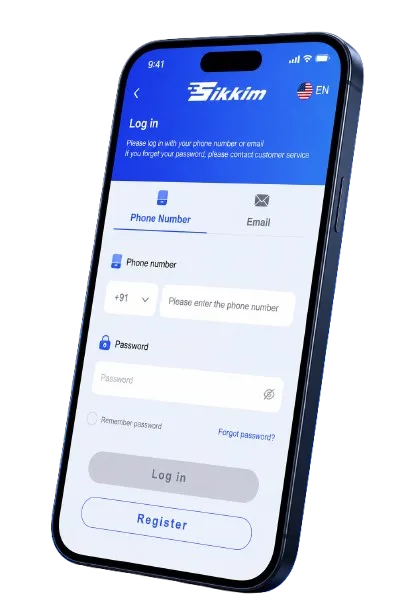
Returning users can use Sikkim Game Login to access their registered account. The usual process includes the following steps:
-
Open the Login Page
Go to the current Sikkim Game platform and select the Login option.
-
Enter Registered Details
Provide the mobile number, username, or other requested login information.
-
Add Your Password
Enter the password linked to your account.
-
Complete Security Verification
If an OTP or additional verification is requested, complete it as instructed.
-
Sign In
Select Login to enter your account dashboard.
-
Recover Access When Needed
Use the available password recovery option if you cannot remember your credentials.
The Sikkim Login process may vary slightly depending on the current website or application interface. Always verify that you are using the correct platform before entering personal or account information.
Sikkim Game App Mobile Experience
A smartphone makes it easier to access gaming platforms without being tied to a desktop. The Sikkim Game App provides a mobile-friendly experience where users can browse available games, view platform features, manage account details, and access supported payment options from their phones.
Depending on the device and current platform setup, users may be able to access Sikkim Game directly through a mobile browser or create a shortcut on their home screen. The exact features and access methods can vary, so users should follow the instructions provided on the current platform.
Sikkim Game App for Android
Android users can open Sikkim Game through a compatible mobile browser. If the website supports a home-screen shortcut, it can be added for faster access without necessarily installing a separate native application.
-
Open Chrome
Start Google Chrome on your Android smartphone and visit the current Sikkim Game website.
-
Find the Browser Menu
Tap the three-dot menu in Chrome and look for “Add to Home Screen” or “Install App”, depending on what is available.
-
Create the Shortcut
Confirm the option and allow the shortcut to be added to your device.
-
Sign In
Open the new shortcut and enter your registered account credentials when prompted.
If the shortcut option does not appear, make sure Chrome is updated and that your internet connection is working properly.
Sikkim Game Access on iPhone and iPad
iPhone and iPad users can access the platform through Safari when a dedicated iOS application is not available. Rather than downloading an APK, users can save the mobile website directly to their device’s home screen for convenient access.
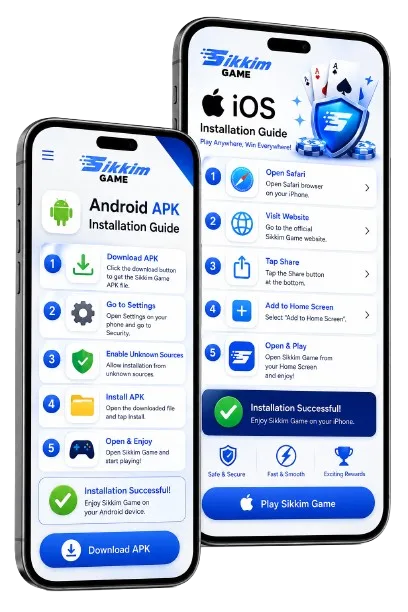
How to Add Sikkim Game to an iPhone Home Screen?
-
Launch Safari
Open Safari on your iPhone or iPad and navigate to the current Sikkim Game website.
-
Tap Share
Select the Share icon from the Safari toolbar.
-
Choose Add to Home Screen
Find and select “Add to Home Screen” from the available options.
-
Confirm the Shortcut
Change the shortcut name if required and tap “Add.”
-
Use the Home-Screen Icon
Tap the newly created icon whenever you want to open the mobile version of the website.
This approach provides quick browser-based access and does not require installing an APK file on an iPhone or iPad.
Sikkim Game Bonus Program
The Sikkim Game Bonus Program may include promotional rewards connected with registration, deposits, referrals, or other qualifying activities. The actual offer can depend on the promotion running at the time, so users should check the current terms before making a deposit or claiming a reward.
How the Sikkim Game Bonus Works
Check the Current Offer
Review the promotion page to understand the available bonus, eligibility criteria, and validity period.
Share Your Referral
When a referral promotion is active, existing users may share their invitation link or referral code with friends.
Complete Registration
The invited user should complete the Sikkim Game register process through the applicable referral link or enter the required invitation code.
Meet the Conditions
Some promotions may require a minimum deposit or another qualifying action before the bonus becomes available.
Review Bonus Rules
Check wagering requirements, expiry dates, minimum deposit limits, and withdrawal conditions before using any promotional amount.
Check the Final Credit
Bonus amounts and eligibility can vary according to the promotion and the user’s qualifying activity.
Example Bonus Structure
The following figures represent the stated example structure and should be verified against the current promotion before relying on them:
| First Deposit | Bonus Amount | Total After Bonus |
|---|---|---|
| ₹400 | ₹48 | ₹448 |
| ₹1,000 | ₹108 | ₹1,108 |
| ₹2,000 | ₹188 | ₹2,188 |
| ₹10,000 | ₹488 | ₹10,488 |
| ₹24,000 | ₹1,388 | ₹25,388 |
Sikkim Game Banking Options
Managing deposits and withdrawals is an important part of using any gaming platform. Sikkim Game may support several payment methods, giving users different ways to add funds or request withdrawals. The available options, transaction limits, processing times, and eligibility requirements can change based on the platform’s current banking setup.
Before making a transaction, users should check the payment method currently displayed in their account and review any applicable fees, minimum limits, verification requirements, and processing conditions.
Deposit Methods
Users may find multiple options for adding funds to their Sikkim Game balance. The stated deposit limits can vary between payment methods.
| Payment Method | Minimum Deposit | Maximum Deposit |
|---|---|---|
| Cards | ₹100 | ₹49,999 |
| UPI | ₹100 | ₹50,000 |
| PayTM | ₹200 | ₹50,000 |
| AstroPay | ₹200 | ₹100,000 |
| BTC | 0.0002374 BTC | Not specified |
| USDT | 10.00 USDT | Not specified |
Withdrawal Methods
Withdrawal options can depend on the user’s account, selected payment method, and current platform conditions. Before submitting a request, check the required minimum amount and any verification steps.
| Payment Method | Minimum Withdrawal | Maximum Withdrawal |
|---|---|---|
| PayTM | ₹113 | ₹20,000 |
| Bank Transfer | ₹524 | ₹50,000 |
| UPI | ₹113 | ₹50,000 |
| BTC | 0.000984 BTC | Not specified |
| USDT | 29.880132 USDT | Not specified |
Player Reviews & Gaming Experience
Reviews can give a general idea of how different users experience a gaming platform, including its interface, account process, payment handling, support, and game information. However, individual comments represent personal experiences and should not be taken as a guarantee of winnings, returns, or future results.
Sikkim Game Player Feedback
Here are some sample player experiences focusing on navigation, account handling, support, and gameplay information:
“The layout was simple to follow, and I could find the different game sections without much confusion.”
— Amit Verma“I had a question about account verification, and the support team explained the required steps clearly.”
— Neha Sharma“The game details and previous round information were useful when checking how the platform worked.”
— Rohit Singh“My withdrawal request went through after I completed the required account verification.”
— Karan MehtaCustomer Care Support
Questions related to account access, payments, verification, or technical problems can usually be addressed through the support options provided by Sikkim Game. Users should first check the platform’s help or support section, as it may contain answers to common issues and basic troubleshooting steps.
When a problem requires personal assistance, users can use the customer-care channels currently listed on the platform. The available contact methods may change, so it is best to verify the latest details before sending a request.
Customer Support Options
| Support Channel | Best For | How to Use |
|---|---|---|
| Live Chat | Account, payment, and technical queries | Open the support section and start a chat when available. |
| Email Support | Detailed issues and account-related requests | Send your query to the official support email listed on the platform. |
| Help Desk | Common questions and basic troubleshooting | Check the available guides and support articles. |
Before Contacting Customer Care
- Keep your registered account details available for reference.
- For payment issues, note the transaction date and relevant transaction information.
- Explain the problem clearly and include any useful non-sensitive details.
- Never share your password, OTP, PIN, or other confidential security information with anyone.
- Use only the contact details displayed through the platform’s current support section.
Contact Customer Care
For the latest customer-care details, users should visit the platform’s support or help section and use the contact method currently provided there. This helps ensure that the request reaches the appropriate support channel.
Frequently Asked Questions
How can I register for Sikkim Game?
Open the current platform, select Register, enter the required details, and complete any verification steps.
How do I log in to my account?
Open the login page, enter your registered details and password, then complete any security verification if requested.
Can I access Sikkim Game on mobile?
Yes, the platform can be accessed through a mobile-friendly website on compatible smartphones and browsers.
How can I download the Sikkim Game APK?
If an Android APK is currently provided, use the download option from the platform’s verified source and follow the installation instructions.
What is the ₹700 sign-up bonus?
It refers to a promotional offer that may be available to eligible new users. Check the current terms before claiming it.
What if I forget my password?
Use the Forgot Password option on the login page and follow the available account recovery steps.
How can I contact customer support?
Use the support channels currently listed on the platform, such as live chat or email, when available.
Is the platform safe to use?
Review its current security information, terms, privacy policy, and payment conditions before creating an account or making transactions.
Why is the APK not installing?
Check the APK source, device compatibility, available storage, and Android installation settings before trying again.
Do I need an invite code?
An invite code may be required for certain registration offers or referral promotions. Check the current signup requirements.